
- Voice
- SMS
- Web chat
- Live transcription
- AI Sidekick
- Supervisor alerts
Manage interactions across channels. Connect Contact Center creates a high-quality inbound and omnichannel experience for your customers and your employees. It goes beyond basic call center features, with the full customer history on screen for every interaction, whether it’s voice, SMS, web chat, email, or social, all in a clean, intuitive interface.
Supervisors get live dashboards, coaching, quality tools, and real-time alerts, and AI handles live transcription, Sidekick prompts, summaries, sentiment, and reporting.
See Connect Contact Center in action
Two short videos on why omnichannel service matters, and what a cloud contact center does for your team.
One workspace for every conversation
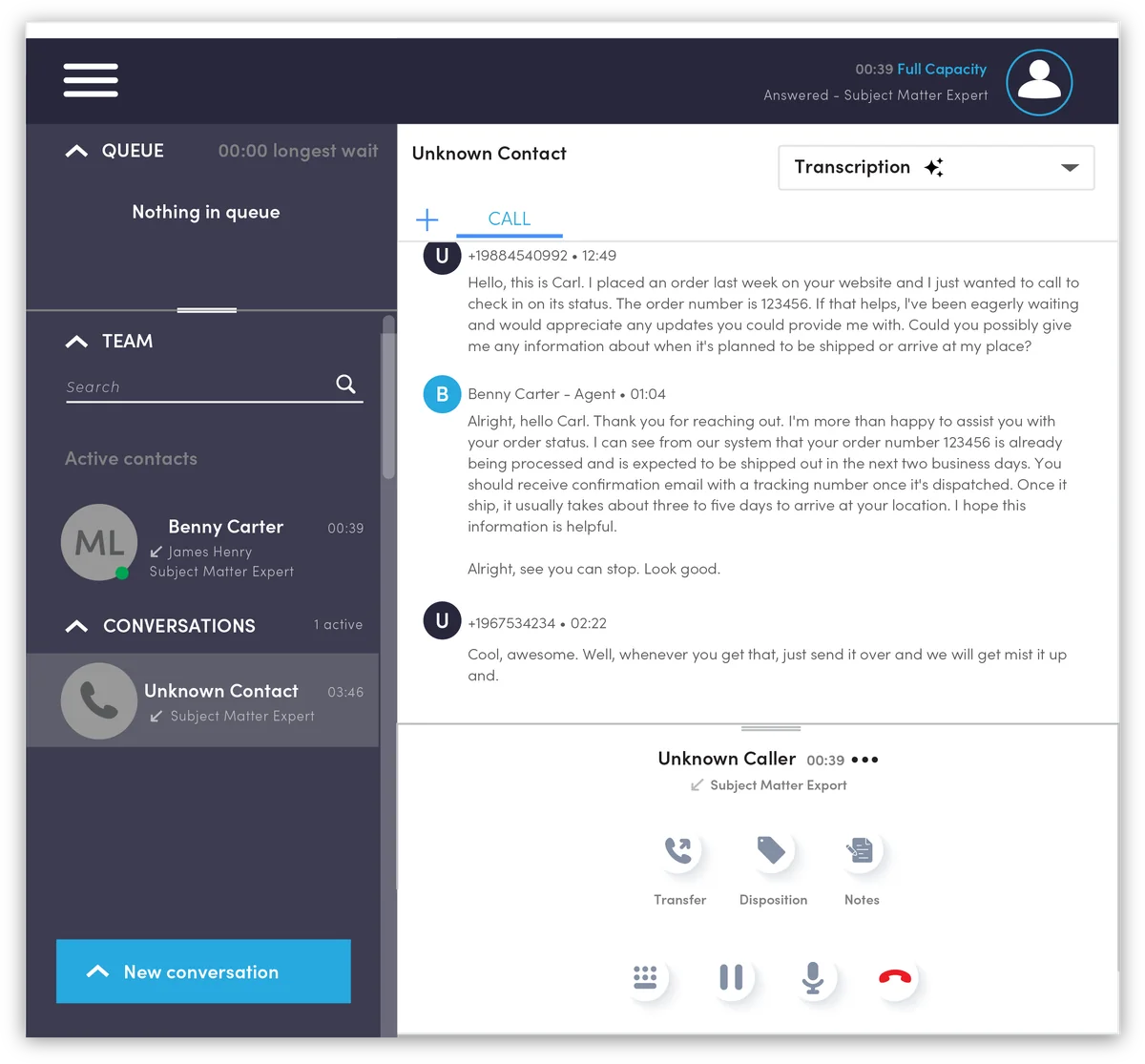
Tired of logging into separate tools for SMS, chat, and queues? Connect Contact Center brings every channel into one user-friendly workspace. Agents see the queue, their team, and the full conversation history, with live transcription as the call happens.
- Live transcription while the caller is still on the line
- Full customer history with each interaction
- Transfer, dispositions, and notes in one click
Everything a modern contact center needs
Everything below is available in Connect Contact Center. We set up what your team needs.
Queue treatments
- Skills- and language-based routing
- Queue actions and rules
- Callback in queue and abandoned-call callbacks
- SMS keyword responder
Channel types
- Voice
- SMS
- Web chat
- Facebook for Business
Agent experience
- Web-based workspace or downloadable client
- Browser-based softphone and desk phone support
- Call dispositions and notes
- Screen pops, agent scripting, and contact history
- Canned responses and agent states
- Live transcription while on a call
- AI Sidekick and AI Prompts
Quality assurance
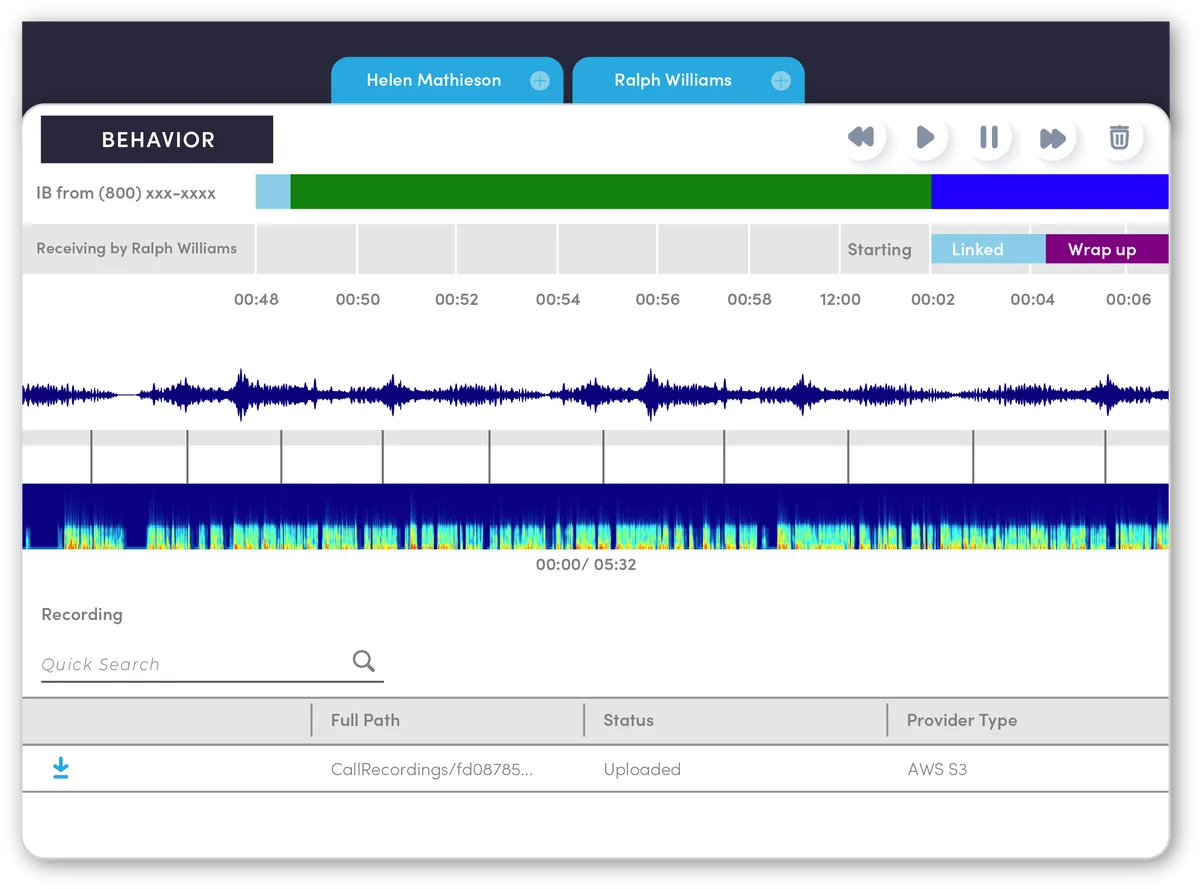
- Call recording
- Agent computer screen recording
- Coaching and silent monitoring
- Post-call surveys
Dashboards & reporting
- Standard and custom reports
- Report subscriptions
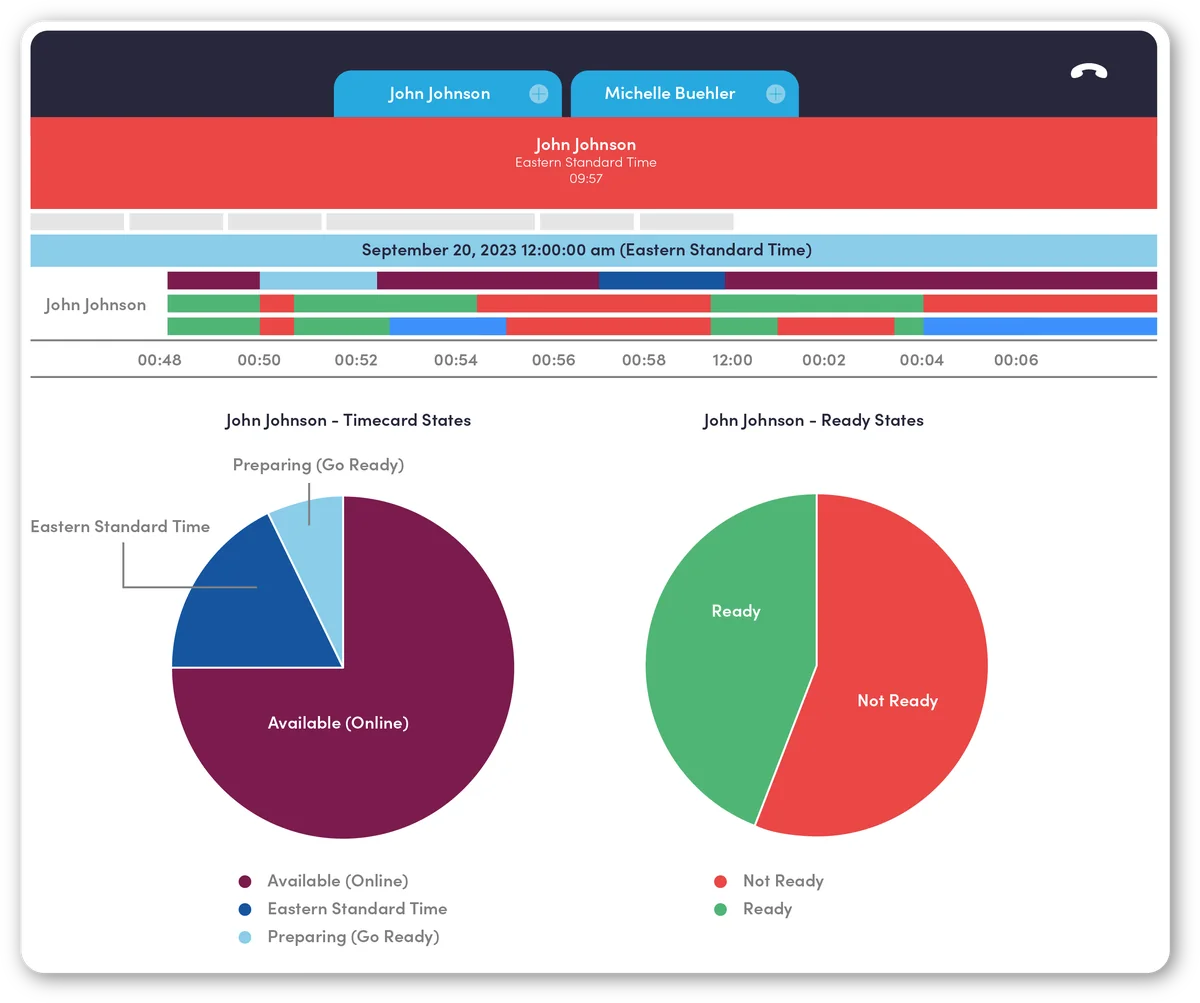
- Customizable, real-time agent and queue dashboards
- Export data for external analytics
AI-driven solutions
- Live transcription and AI-generated reports
- AI Sidekick and AI Prompts
- Real-time supervisor alerts for keywords and sentiment
- Sentiment analysis and topic detection
Integrations
- HubSpot (voice and SMS) and Salesforce, plus more CRMs
- Microsoft Teams
- Cloud storage: AWS, Google, Azure, SFTP, FTPS
- Workforce management and chatbot support
Security & uptime
- Single sign-on support
- Two-factor authentication
- Redundant, high-availability architecture
AI that helps agents and alerts supervisors
These tools are part of Connect Contact Center, so agents and supervisors work from the same system.
Live transcription
Agents can read the conversation as it happens, right in the workspace, so they stay accurate without falling behind on notes.
AI Sidekick & AI Prompts
On-call assistance that suggests what to say and helps with wrap-up, so agents finish calls faster and miss fewer details.
Real-time supervisor alerts
Get notified when certain keywords are said or when sentiment analysis goes into the red zone, so a supervisor can jump in before the call gets away from you.
Agent screen recording
Record the agent’s computer screen along with the call, so supervisors can see what the agent saw, even when the agent is remote.
AI-generated reports
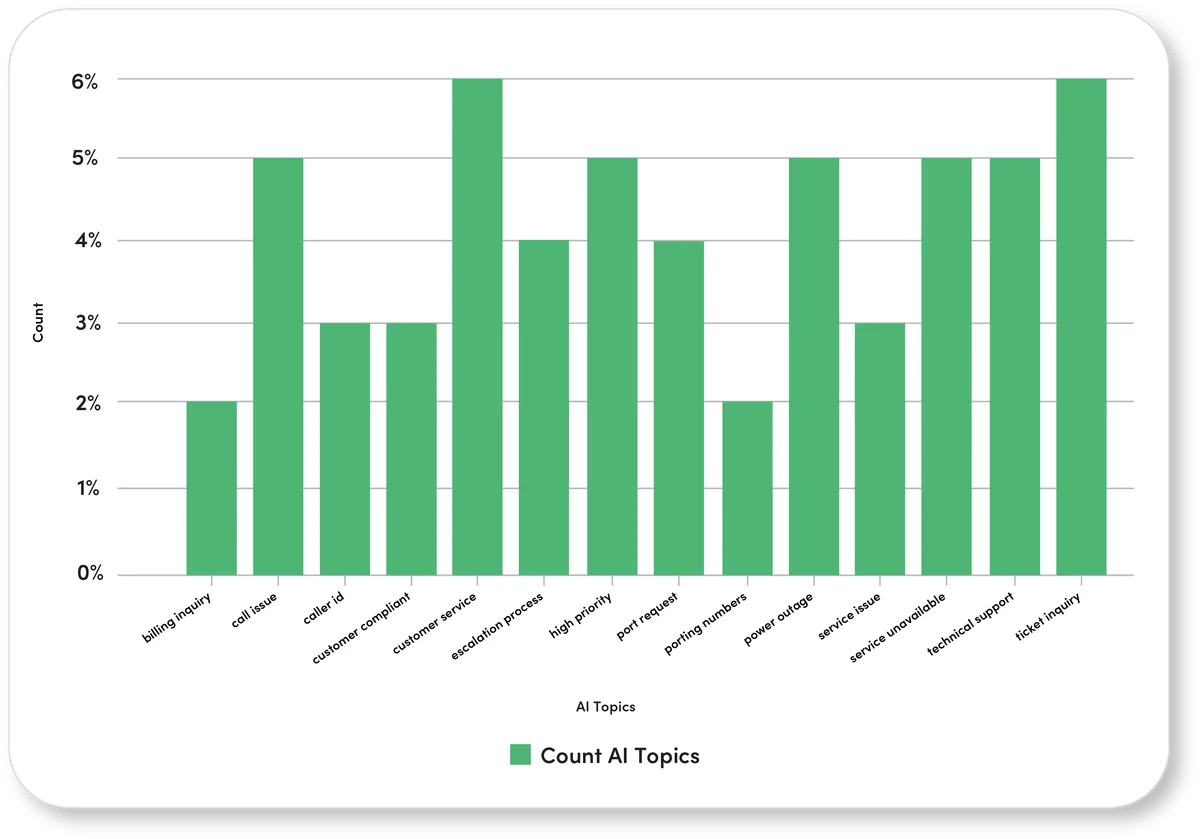
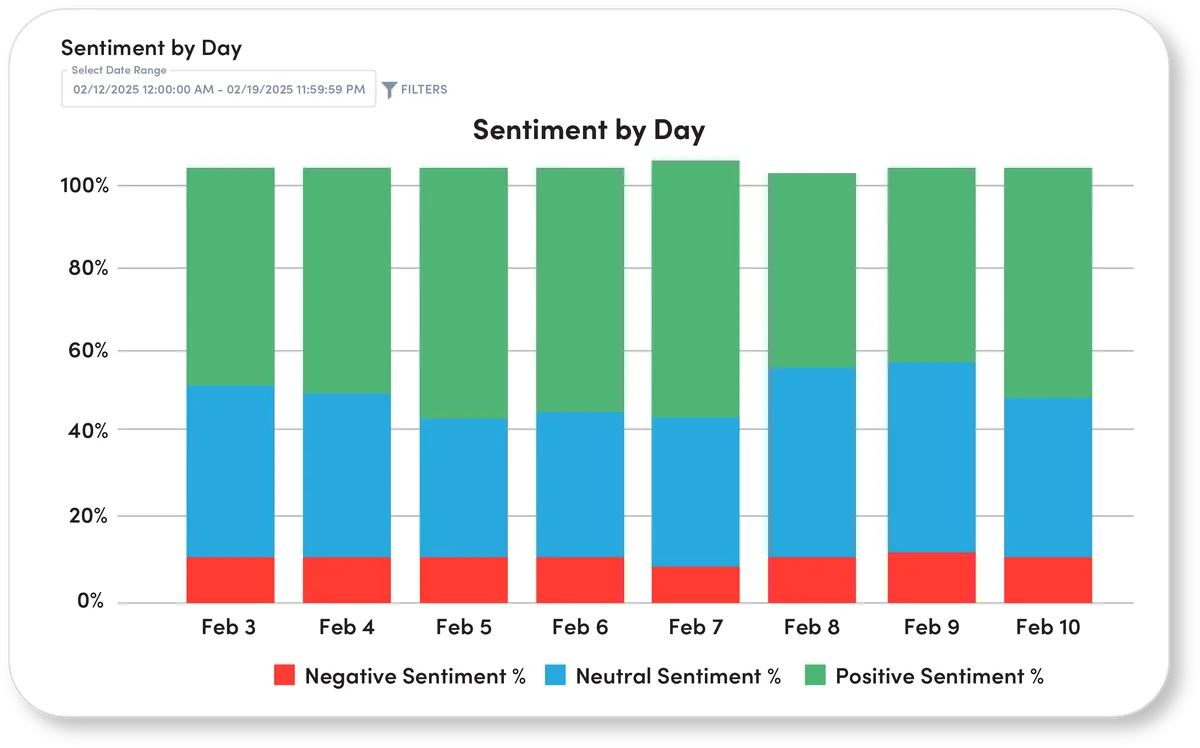
See sentiment trends, topics, and call highlights without listening to every recording. Use the data to coach the team and spot issues early.
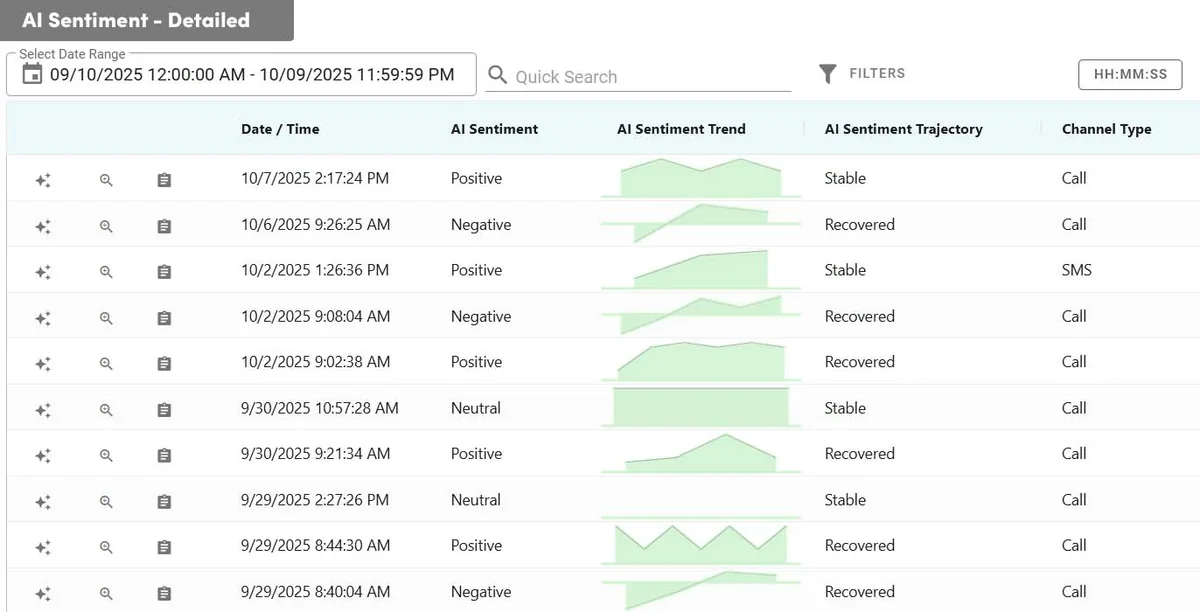
See when a conversation turns
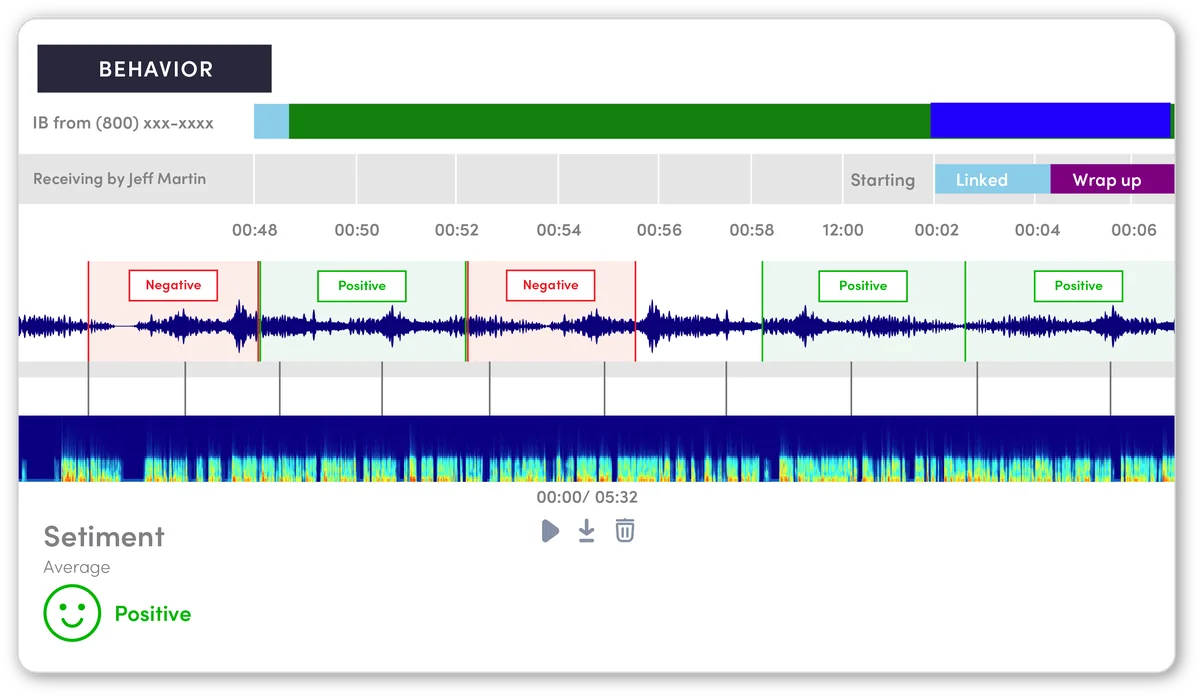
Sentiment is marked across the call, so you can see where things went well and where they slipped into the red zone. Supervisors can also get real-time alerts when keywords come up or sentiment turns negative, instead of finding out after the caller has already hung up.
- Sentiment marked across the recording
- Real-time alerts for keywords and red-zone sentiment
- Step in while there is still time to help
AI-generated reports you can act on
These are real reports from the platform. Focus on the ones that matter to your team.
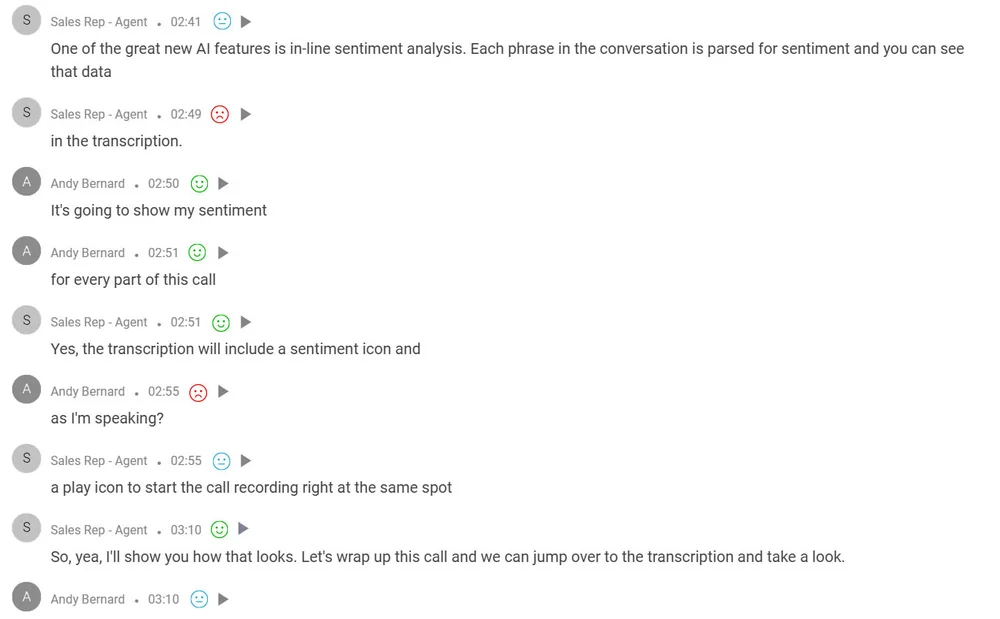
Every phrase, with sentiment
Transcripts include a sentiment icon on each line, and you can jump to that moment in the recording. Combined with live transcription during the call, your team has a clear record of what was said and how the caller felt.
- Sentiment on every line of the transcript
- Jump to the same moment in the recording
- Live transcription during the call, a full record after
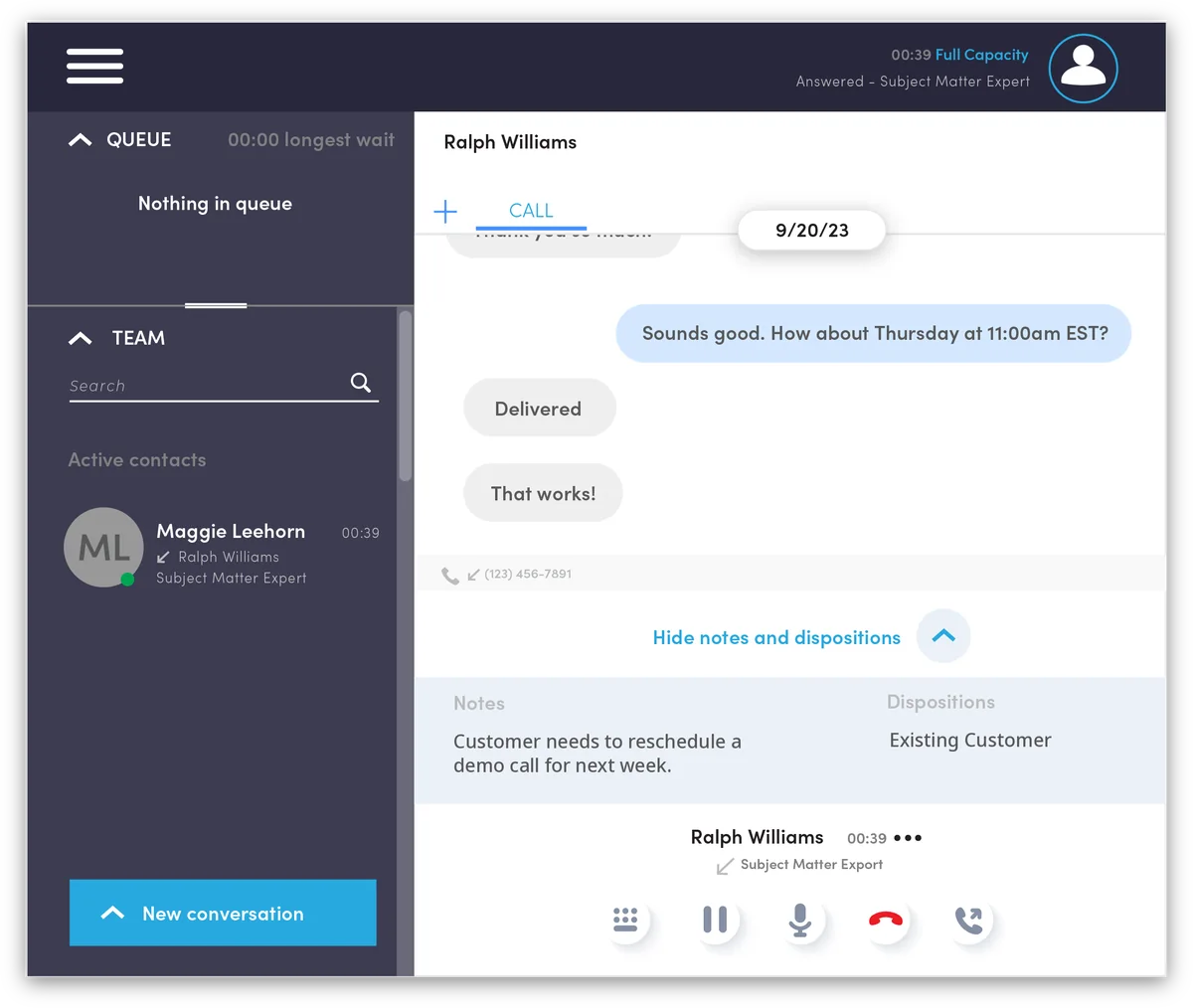
Every interaction, documented
Text conversations, call notes, and dispositions live together on the contact’s record, so the next agent picks up right where the last one left off.
- SMS and voice on one timeline
- Notes and dispositions on every interaction
- Canned responses for common questions
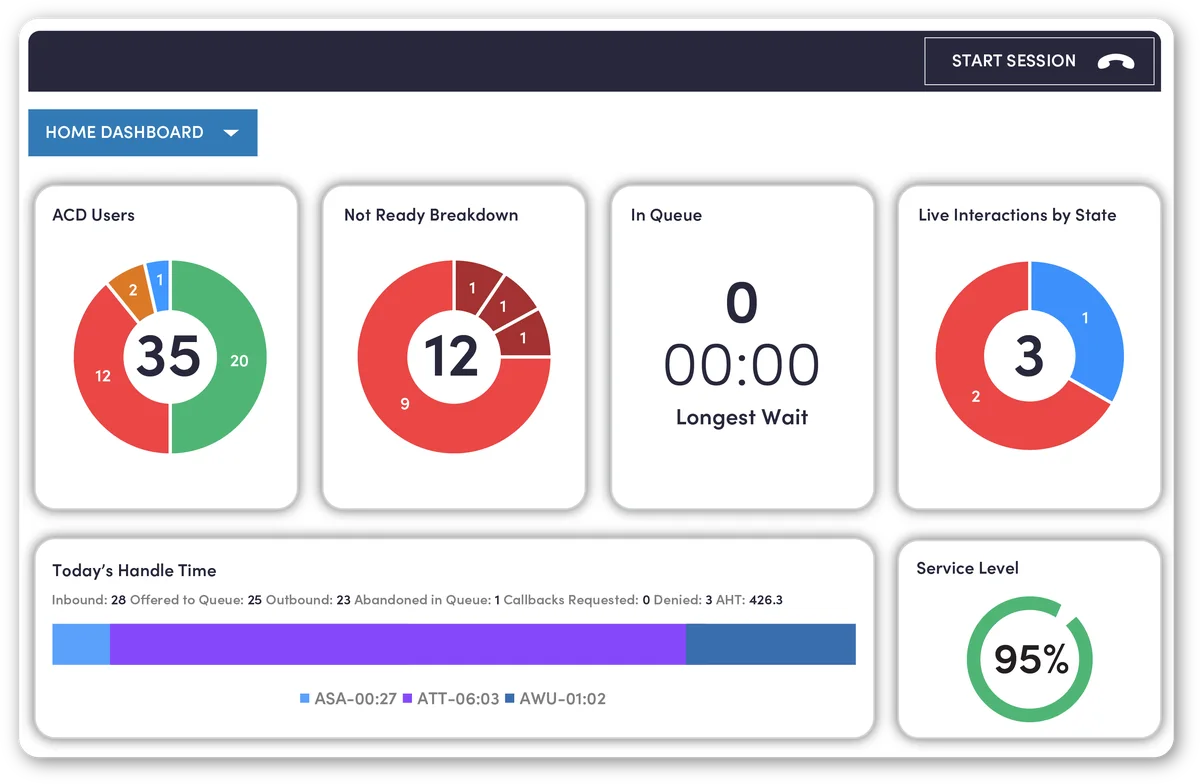
Real-time insight to hit your quality targets
Detailed reporting and live dashboards show users, agent states, calls in queue, longest wait, handle time, and service level at a glance, so supervisors can act before wait times climb.
- Real-time agent and queue dashboards
- Standard and custom reports, by subscription
- Export data for external analytics
Quality assurance without the hassle
Call recording, agent screen recording, silent monitoring, coaching, and post-call surveys help you raise service standards, including for remote agents.
Up and running without the headache
We review your setup
A UC Specialist looks at your current service, your bills, and how calls move through your office.
We build it and port your numbers
We configure everything, set up your devices and apps, and schedule the number port so callers never notice the switch.
Go live with 24/7 support
We train your team and stay on call around the clock, with AI agents answering after hours.
Who it’s for
Built for offices where every call matters, anywhere in the U.S.
Pairs well with
Frequently asked questions
How is this different from a call center?
A call center focuses on phone queues. Connect Contact Center adds SMS, web chat, email, and social channels, full customer history, quality tools, and AI in one workspace. See our Call Center page for voice-only teams.
How many agents do I need?
Any number. We size the setup to your team and add agents as you grow.
Does it integrate with our CRM?
Yes. HubSpot and Salesforce integrations, screen pops, and custom integrations are available, and we offer 300+ integrations overall.
Can supervisors listen in and coach?
Yes. Silent monitoring, coaching, call recording, agent screen recording, and live dashboards are built in.
Can agents work from home?
Yes. Agents use the web-based workspace, the downloadable client, a browser softphone, or a desk phone. Supervisors can still review call and screen recordings for remote agents.
Does it transcribe calls while we’re on them?
Yes. Agents can read a live transcription in the workspace as the call happens, so they can follow the conversation and stay accurate without scrambling for notes.
What are AI Sidekick and AI Prompts?
They assist agents during and after the call with suggested prompts and wrap-up help, so agents spend less time on notes and more time helping the caller.
Can supervisors get alerts during a call?
Yes. Supervisors can get real-time alerts when certain keywords are said or when sentiment analysis goes into the red zone, so they can step in before a call goes off track.
Can supervisors see a remote agent’s screen?
Yes. Agent computer screen recording lets supervisors review what was on the agent’s screen, even when the agent is working remotely.
Get a quote built around your business.
No confusing packages and no paying for extras you won’t use. Talk to a UC Specialist, or send us a few details and we’ll follow up with a free telecom audit and a no-obligation quote.